Context-focused parental monitoring for everyday Android family routines
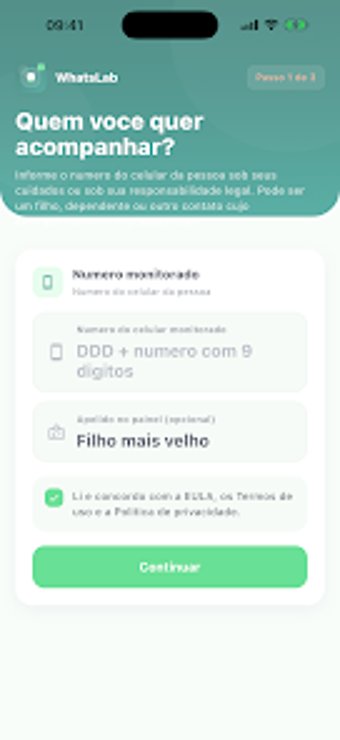
WhatsLab - Parental Control, from Marinho Devs, helps parents and guardians monitor children's digital routines and organize online interactions. The app centralizes activity into a single dashboard, provides real-time monitoring for selected contacts, and issues instant alerts to flag notable online events. It includes detailed status logs, customizable notification settings, and an easy activation flow. The tool targets parents who want clear, conversation-ready summaries to guide daily discussions about messaging and device use.
What role does WhatsLab play in daily parenting conversations?
In practice, the app presents activity in a compact overview that parents can use as a conversation prompt rather than raw evidence. By focusing on context for parental dialogue, the tool emphasizes organized status logs and an activity history that make it easier to spot recurring patterns and start a calm check-in with a child after school or during family time.
How does the app fit into an Android household?
WhatsLab runs on Android devices supported by the Google Play Store and states general compatibility with modern hardware. The activation flow is described as simplified, which reduces setup friction for less technical caregivers. That means most families who manage kids' devices with Android phones can add the app to existing routines without extended configuration sessions.
Is the interface approachable for non-technical users?
The interface is designed for easy setup and navigation, with controls to tailor which alerts reach the parent. Users can create filters so notifications focus on what matters, an approach intended to avoid notification overload. The combination of straightforward onboarding and configurable alerts helps busy parents keep oversight manageable day to day.
Does it deliver useful, timely information and how mature is the app?
WhatsLab supplies instant push notifications for important online activities and keeps a detailed, chronological record for later review. The developer frames the product around family safety and open discussion, and the app is a relatively new entry that is gaining traction in the parenting category. For families seeking a focused, dialogue-oriented tool, this practical orientation is the primary draw.
To sum up, a conversation-first option best for hands-on parents
WhatsLab is a practical choice for guardians who want a low-friction way to bring structured, discussion-ready summaries into daily parenting. It suits caregivers looking to prompt short, focused talks about messaging habits; it is less fitting for households that require cross-platform coverage or enterprise-style controls. Pro tip: use notifications as short prompts for a single five-minute check-in rather than a long interrogation.